
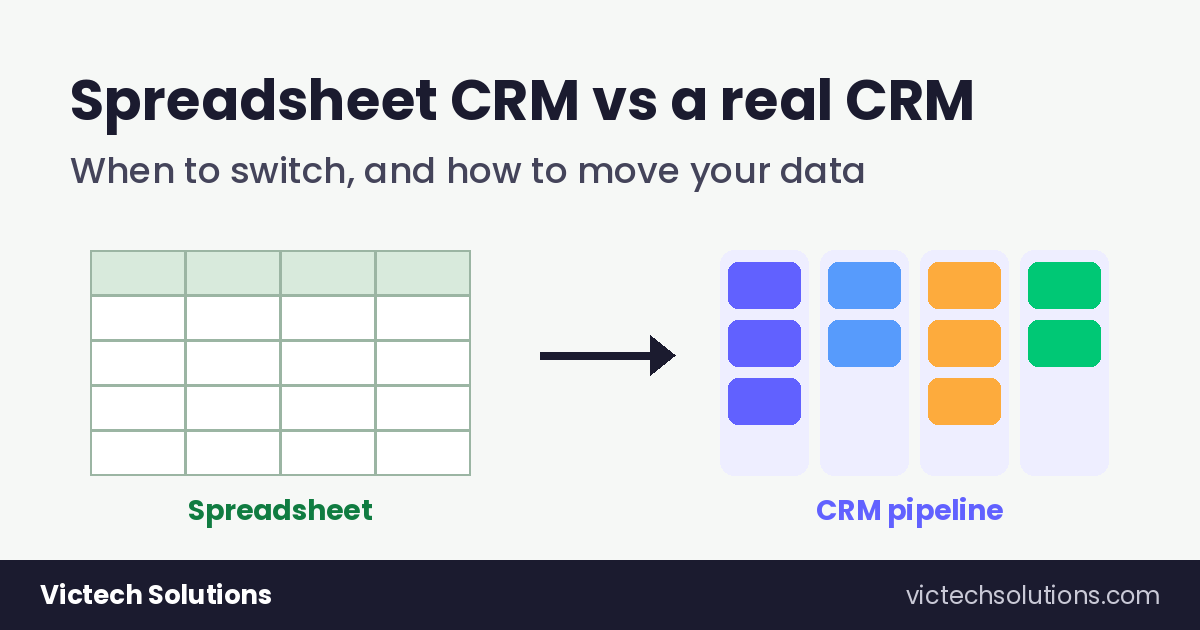
Almost every business starts with a spreadsheet CRM: a Google Sheet or Excel file with names, phone numbers, deal values and a “next step” column. It is free, everyone knows how to use it, and for a while it works. Then the team grows, two people edit the same row, a follow-up gets missed, and nobody can say how much is really in the pipeline.
This guide explains when a spreadsheet is still fine, the signs you have outgrown it, the best alternatives, and a step-by-step plan to move your data into a real CRM without losing anything.
Table of Contents
What is a CRM spreadsheet?
A CRM spreadsheet is a sheet where each row is a contact or deal and each column holds details like company, source, stage, value and next follow-up date. Many teams use free templates to get started. It is a sensible first step: you learn what information you actually need before paying for software.
Can you use Excel or Google Sheets as a CRM?
Yes, for a while. A sheet works well when:
- One or two people manage all the leads.
- You have fewer than a few hundred active contacts.
- Your sales process is simple and short.
- You do not need automatic reminders, email tracking or reports.
The trouble starts when more people, more leads and more steps get involved.
When should a startup implement a CRM system?
There is no magic number, but most teams should switch when they see two or more of these signs:
- Duplicate or conflicting data. The same client appears twice with different details.
- Missed follow-ups. Leads go quiet because nobody was reminded.
- Several versions of the sheet. “Leads_final_v3” exists, and nobody knows which one is right.
- No history. You cannot see what was said, emailed or promised to a client.
- Pipeline guesswork. Leadership asks “what will we close this month?” and nobody can answer quickly.
- More than two salespeople. Shared editing and ownership get messy fast.
- Security worries. A file with every client’s details can be downloaded or shared by anyone with access.
The pros of switching: reminders, history, reports and one source of truth. The cons: a monthly cost, a learning curve and a migration to plan. For most teams with a growing pipeline, the time saved covers the cost quickly.
What a spreadsheet CRM really costs you
A sheet is free to open, but not free to run. A simple example: 4 salespeople each spending 30 minutes a day updating the sheet, checking who called whom and building reports is about 44 hours a month of admin. That is more than a full working week, every month, before counting the deals lost to missed follow-ups.
Spreadsheet vs CRM: side by side
| Spreadsheet | CRM | |
|---|---|---|
| Cost | Free | Free to about $20+ per user per month for small teams |
| Follow-up reminders | Manual | Automatic |
| Email and call history | Not tracked | Logged on each contact |
| Pipeline view | Rows and filters | Visual stages with totals |
| Reports | Built by hand | Live dashboards |
| Ownership and permissions | Anyone can edit anything | Owners and access by role |
| Duplicates | Common | Detected and merged |
Best alternatives to spreadsheets for customer tracking
- HubSpot: has a free CRM to start, and paid Starter seats from about $9 per seat per month. A good fit for B2B teams that want marketing and sales in one place.
- monday CRM: visual and very easy to adopt for teams that already like spreadsheets. Plans start at $12 per seat per month (billed annually, 3-seat minimum), and automations start on Standard at $17.
- GoHighLevel: all-in-one CRM, SMS, booking and funnels for local service businesses, from $97 per month for the whole account.
Not sure which one fits? Our comparison of monday CRM, HubSpot and GoHighLevel walks through the differences in detail.
How to move from a spreadsheet to a CRM in 9 steps
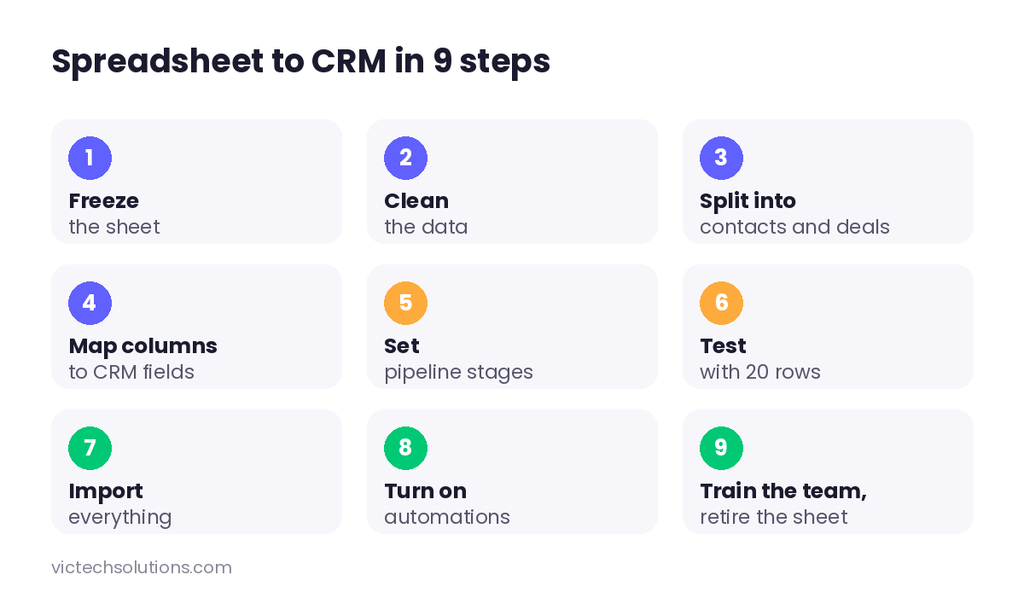
- Freeze the sheet. Pick a cut-off date and stop adding new versions.
- Clean the data. Remove duplicates, fix email and phone formats, and make dates consistent.
- Decide what goes where. Most CRMs split data into contacts (people), companies and deals.
- Map columns to fields. Write down which column becomes which CRM field (see the table below).
- Set up your pipeline stages. Agree on 5 to 7 clear stages before importing.
- Import 20 rows as a test. Check that every field landed in the right place.
- Import everything. Then spot-check a few records against the sheet.
- Turn on automations. Owner assignment, follow-up reminders and stage alerts from day one.
- Train the team and retire the sheet. Make the sheet read-only so nobody keeps using it.
Example: mapping spreadsheet columns to CRM fields
| Spreadsheet column | CRM field | Tip |
|---|---|---|
| Name | Contact: first and last name | Split into two columns before importing |
| Company | Company name | Fix spelling so one company is not created twice |
| Email / Phone | Contact: email, phone | One format for phone numbers, including country code |
| Status | Deal stage | Match your old labels to the new stages first |
| Value | Deal amount | Numbers only, no currency symbols |
| Owner | Deal owner | Use the exact user names from the CRM |
| Next step / Date | Task with due date | Import as tasks so reminders work |
| Notes | Note or activity | Long notes can go into one note per contact |
Pre-import clean-up checklist
- Remove duplicate rows (same email or phone).
- Delete test rows and empty rows.
- Use one date format across the sheet.
- Put one value per cell (no “John / Sarah” in a single cell).
- Move only the columns people actually use.
- Keep a backup copy of the original sheet.
Our experience
We have moved teams from spreadsheets into monday.com and other CRMs, and we have cleaned up large sets of sales and billing data for a telecom retail business, where records from different systems had to be matched before anyone could trust the totals. The lesson from every migration is the same: clean data first, move only what people use, and automate from day one so the team never wants to go back to the sheet.
FAQ
Can you use Excel as a CRM?
Yes, for a small team with a simple process. Once you need reminders, history, shared ownership or reports, a real CRM saves time and lost deals.
How do I create a CRM in Excel or Google Sheets?
Make one row per contact or deal, with columns for name, company, email, phone, source, stage, value, owner and next follow-up date. Use data validation for the stage column and filters for each owner.
Does Google have a CRM?
Google does not sell a full CRM of its own. Most teams either use Google Sheets as a simple CRM, or connect a CRM such as HubSpot or monday CRM to Gmail and Google Calendar.
How long does it take to move from a spreadsheet to a CRM?
For a small team with one clean sheet, a few days. If the data is messy or spread across several files, plan for one to three weeks including clean-up and training.
Will I lose data when I switch?
Not if you test with 20 rows first, keep a backup of the original sheet and spot-check records after the full import.
Send us your sheet
Still running sales from a spreadsheet? Send us your sheet (or just the column names) and we will map out how it would move into a CRM, and which CRM fits your team. Contact us for a free review.